

Top, Bottom, or Popup
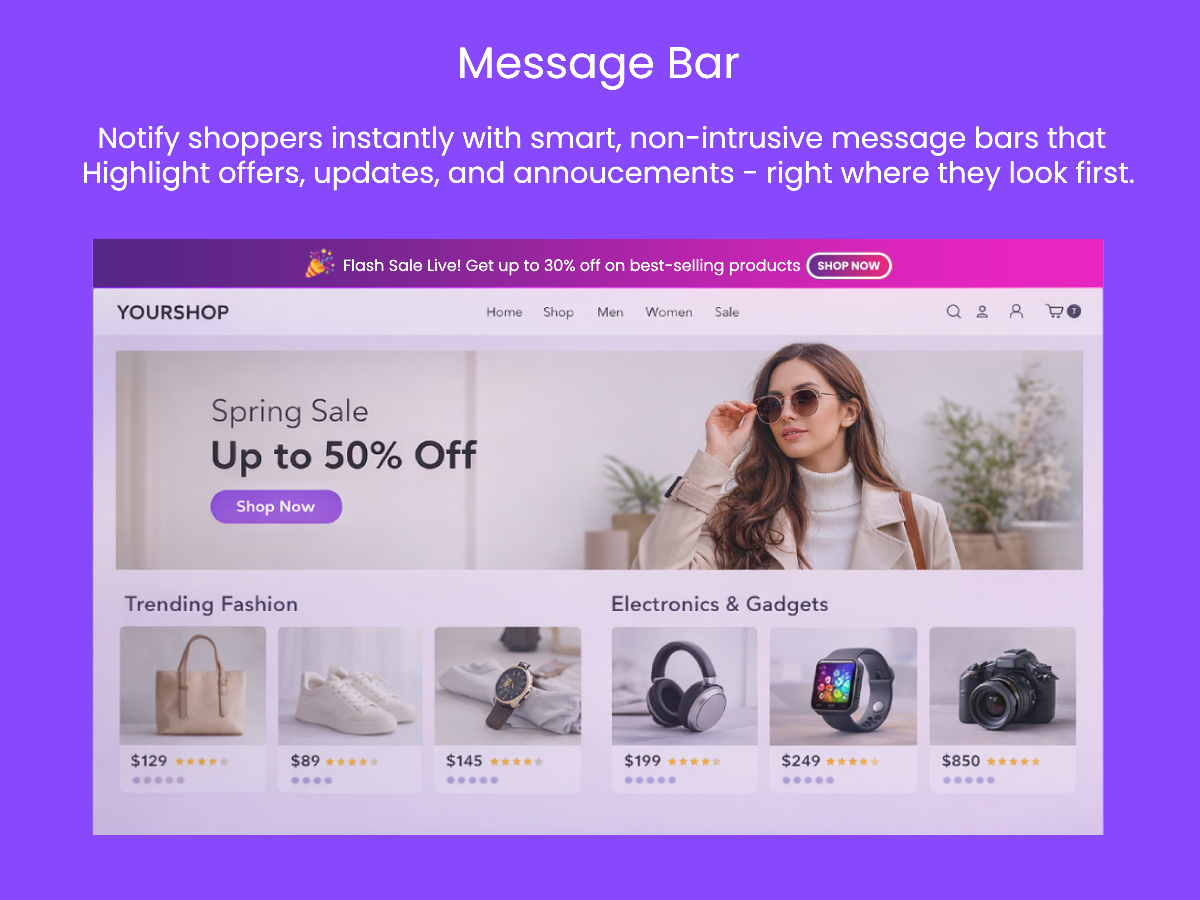
Display your message as a persistent top bar, a sticky bottom bar, or a centered modal popup with overlay — chosen per instance.
Add a fully customizable message bar to your website — at the top, bottom, or as a centered popup — with no coding needed. Scheduled, branded, and trackable.
Your first message bar live in under 2 minutes.
Available on Wix App Market
Getting a branded message bar onto your website takes minutes, not hours. Configure, schedule, and let the auto-injection do the rest — no developer required.
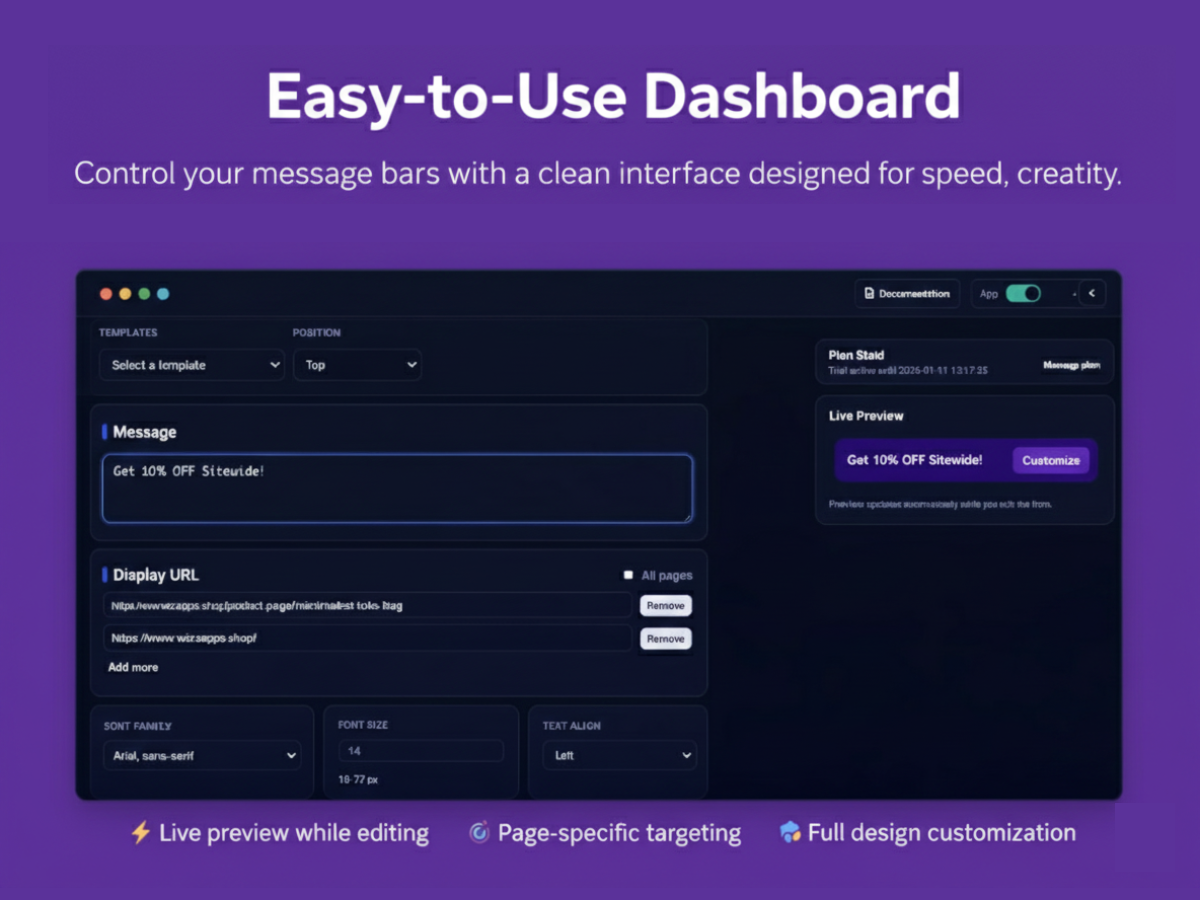
Pick a template, choose your position (top, bottom, or popup), add your message text, emoji, and background. The live preview updates as you type.
Show on all pages or only specific URLs. Set a from/to date and time so your message appears and disappears automatically — no manual changes needed.
The script is automatically injected into your store. Flip the App toggle to Active and your message bar goes live — no code changes on your end.
Flash sales, holiday campaigns, shipping notices, product launches — MessageBar fits every situation where you need every visitor to see something.
Schedule a top bar for exactly the hours your sale runs. It appears and disappears automatically — no manual action required.
Choose from 50+ festival backgrounds and schedule your Christmas, Black Friday, or New Year promotion to go live and end on its own.
Inform customers of delivery delays or order cutoff dates before they reach checkout — reducing support tickets before they start.
Build anticipation with a teaser popup or announcement bar before your new feature or product goes live to the public.
Updated hours, new policies, or important notices? A persistent bottom bar ensures every visitor sees it — on every page.
Use the bottom bar position to display consent notices that stay visible and on-brand without interrupting the browsing experience.
Configure your message, preview it live, set display rules, and monitor engagement — all from one intuitive control panel.
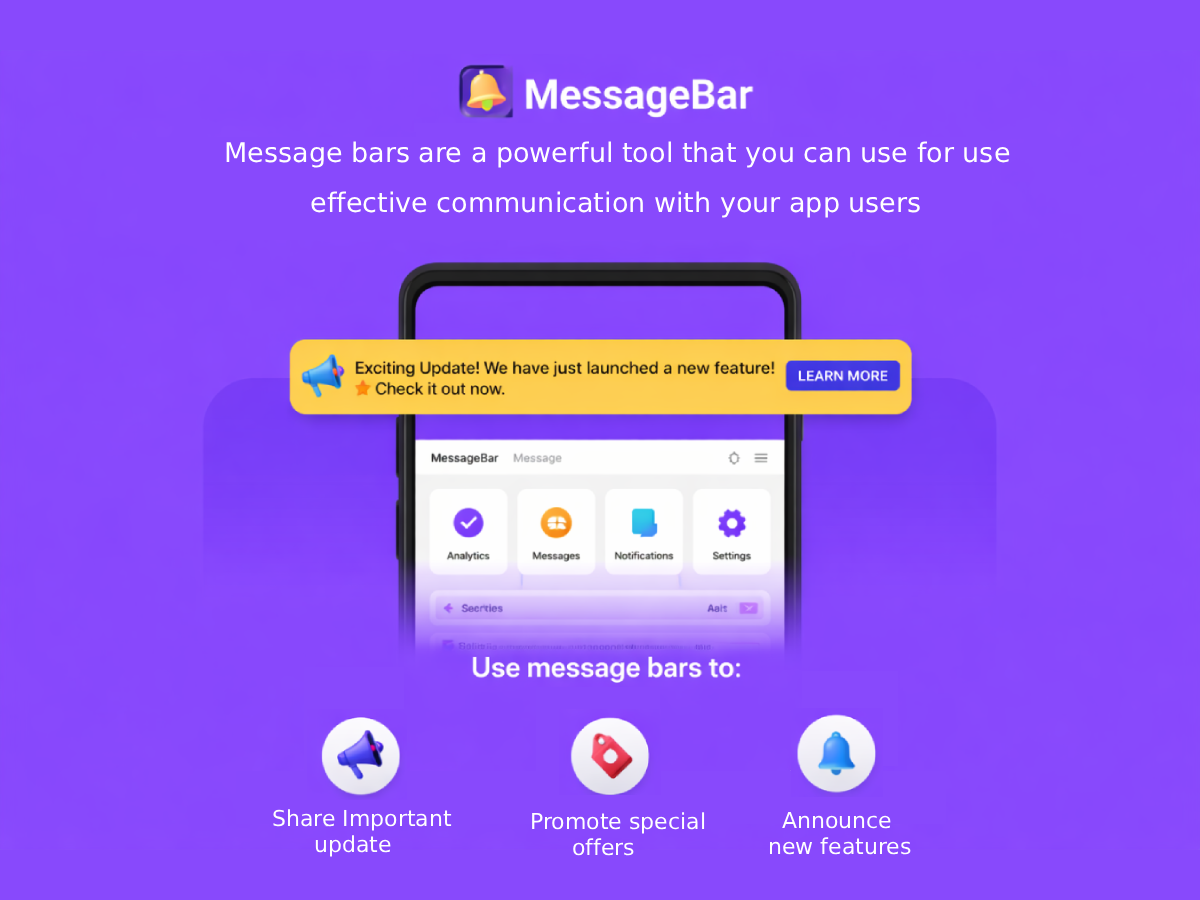
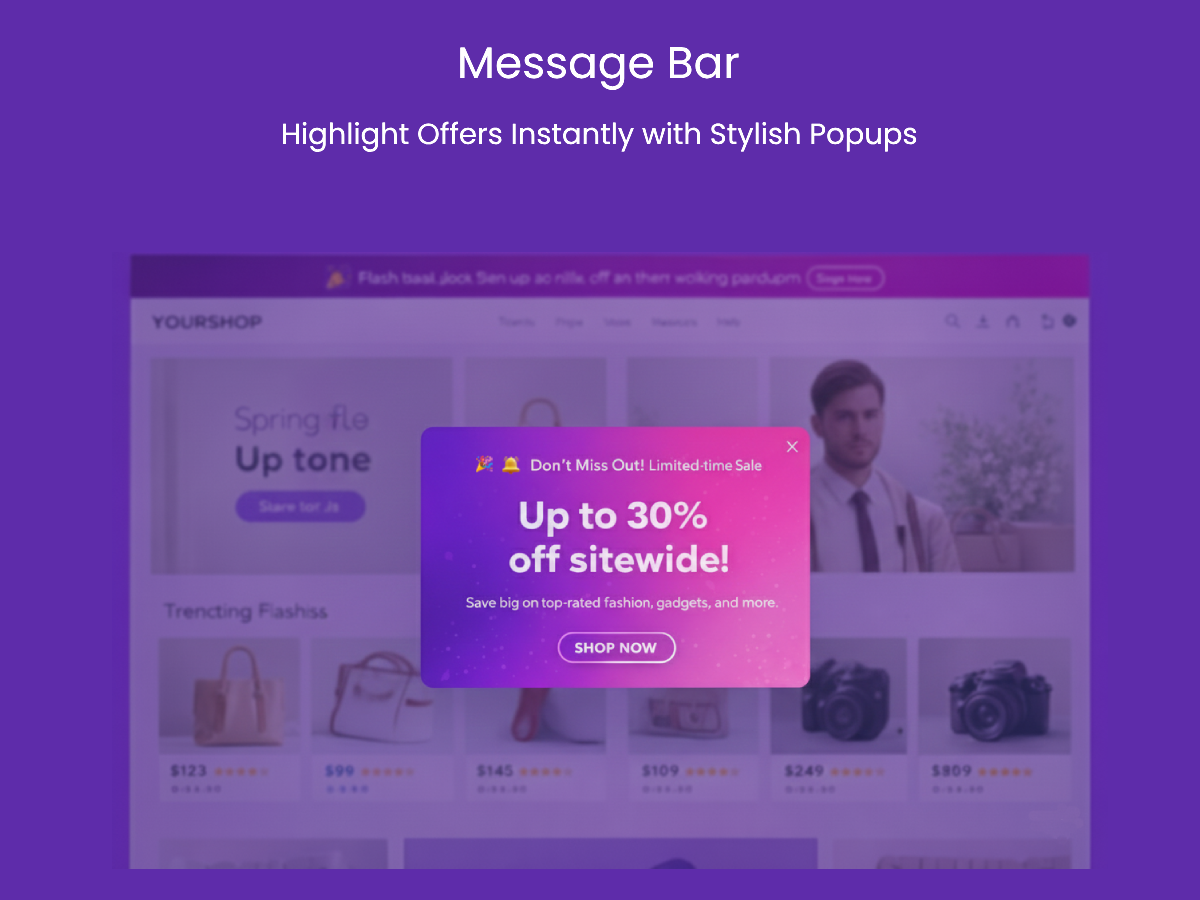
Choose from Christmas, New Year, Valentine's Day, Halloween, and dozens more festival backgrounds — plus design presets to match any brand.
Switch to Popup mode for a centered modal with Title, Sub Heading, and Description — each with independent font size control.
See clicks, hovers, geographic data, browser info, and page URLs for every interaction. Filter by date and export your data.
A message bar sits at the top or bottom of every page — or appears as a modal that blocks the background until acknowledged. Unlike banners buried in content, MessageBar guarantees visibility. Whether you're announcing a sale, a shipping delay, a new feature, or a holiday offer, your message reaches every visitor.
With 50+ festival and event background images, 80+ emoji options, fully customizable colors, font families, and a live preview that updates as you type, every MessageBar looks polished and on-brand without involving a designer or developer.
Scheduled campaigns mean your holiday promotions appear and disappear automatically. Analytics track who clicked, where they came from, and which pages drove the most engagement — giving you the data to refine every future campaign.
A complete message bar toolkit — flexible enough for a one-line announcement or a fully styled promotional popup.
Display your message as a persistent top bar, a sticky bottom bar, or a centered modal popup with overlay — chosen per instance.
Choose from over 50 festival and event backgrounds — Christmas, New Year, Valentine's Day, Halloween, and more — with vertical position control.
In Popup mode, set a Title, Sub Heading, and Description — each with an independent font size (10–72px) for full typographic control.
Enable the Flash option to add a moving shine line animation across the bar — drawing eyes and adding premium polish to any campaign.
Set exactly when your message bar should appear and when it should stop showing — fully automated, no manual takedowns required.
Show on all pages with one click, or restrict to specific URLs like /home or /sale. Add multiple URLs with the Paid plan.
Add a call-to-action button with custom text, URL, color, and fine-tuned padding and margin. Opens in same tab or new tab.
Every interaction is logged with country, state, city, browser, and page URL. Filter by date range and export unlimited rows on the Paid plan.
"MessageBar made it so easy to run our Black Friday sale announcement. I set the from/to dates, picked a background, typed the message, and it went live automatically. Zero developer time. The analytics showed a 60% click-through rate on the banner."
"We use the Popup mode for our email sign-up campaigns. The ability to set separate font sizes for the title and description makes it look really professional. Our sign-up rate improved noticeably after we switched from a static banner to MessageBar."
"The flash shine effect on the top bar during our holiday sale was a subtle but effective touch. I also love that I can target the message to only show on the checkout page. MessageBar gives me control I didn't have before."
Start free and upgrade when you need more. No hidden fees, no long-term commitment.
Free
No credit card required
Paid
Everything unlocked
MessageBar is a flexible banner and message bar system that lets you display customizable messages to your website visitors. Each instance has its own configuration — making it perfect for multi-tenant applications, different stores, or different campaign environments.
An Instance ID is your unique key — like "blue" or "demo" — used to load the correct message bar configuration for that store or environment. Each instance has its own message, styling, display rules, and activation status. Include it in the admin URL as ?instanceid=YOUR_ID.
Open the Settings page, update the Message field in the textarea, then click Save Message. The change goes live immediately once the app is active.
In Settings, the "All pages" checkbox is selected by default. If it was unchecked, simply check it under Display URL and save. This is a Paid feature.
In Settings, uncheck "All pages" and add one or more Display URLs — for example /home or /privacy. The bar will only appear on pages whose path matches those entries. Save when done.
When enabled, the Flash option adds a moving shining line animation across the message bar — a subtle shine effect that draws the visitor's eye. It's a Paid feature.
Position controls where the message appears on the page:
When the App toggle is set to Deactivated, the frontend script stops rendering the message bar entirely for that instance — even if it's fully configured. Always ensure the toggle is Active before expecting the bar to appear on your site.
Yes. Use the Templates dropdown in Settings to quickly apply different design looks to your message bar. Simply select a template from the dropdown and save — the styling is applied immediately.
In Settings, use the Emoji dropdown (80+ options) to select an emoji. For top/bottom bars, it appears at the start of your message text. For Popup mode, it displays alongside the title.
Popup mode displays your message as a centered modal with a background overlay. You can set a Title, Sub Heading, and Description — each with an independent font size (10–72px). Visitors close it with the X button. The CTA button appears centered in the modal footer.
Yes. In Settings, under the Button section, you can set Left Padding, Right Padding, Left Margin, and Right Margin (0–50px each) to fine-tune how the button is positioned and sized within the bar.
Start your free trial and have your first message bar live in minutes.
Start Free Trial50+ backgrounds. Scheduled campaigns. Auto-injected. No coding.


